(Optional) Publish Extension
To publish an Extension, both the Contributor and the Extension must be verified. To do this, some information must first be provided in mStudio.
Contributor
The Contributor is shown to customers as the provider of an Extension. The Contributor acts as contact for questions and as the contract partner. Even for free Extensions, the customer enters into a contract with the Contributor. mittwald only provides the platform for Extensions. Contracts for usage are made directly between customer and Contributor.
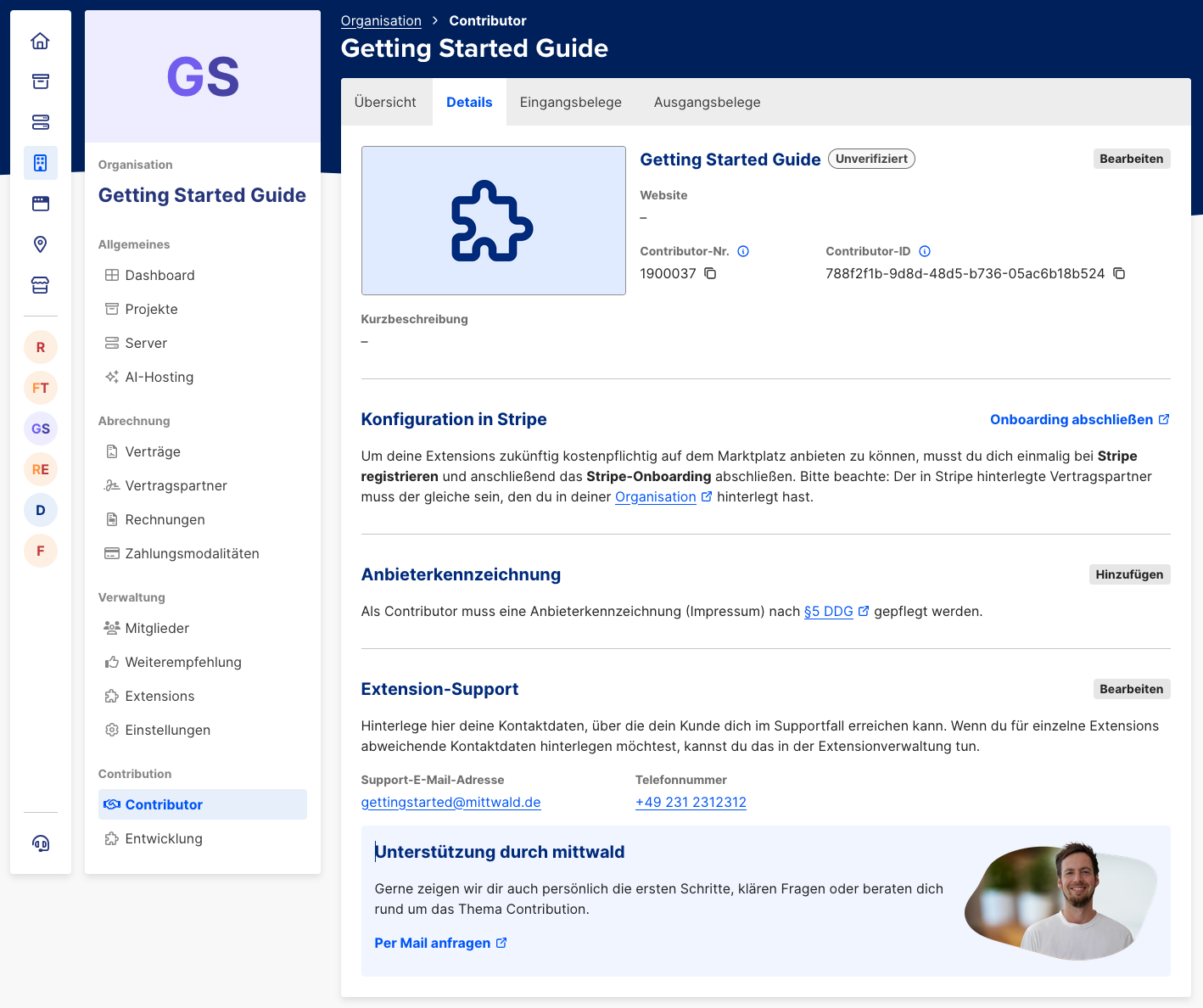
By default, some Contributor information is taken from the organization's contract partner:
- Master data: Information about the natural or legal person entering into the contract.
- Support information: Contact details for support purposes, also inherited from the organization.
You can adjust this information in the Contributor menu under "Details".
Short Description and Avatar
We recommend adding a short description and an avatar to present yourself as a provider. This strengthens trust for potential customers. Both are optional.
Support Information
Customers of an Extension are shown contact details for support and issue reports. These include an email address (required) and a phone number (optional).
If no custom details are configured in Contributor details, contact data from the organization's contract partner is used. In that case, changes in the organization also affect shown support data. Once custom support information is configured, it remains independent of organization changes.
Provider Identification
Any Contributor requesting verification must provide a provider identification according to §5 DDG, to comply with legal information obligations for digital services. This can be done either as a link to an existing imprint or as plain text.
Stripe Onboarding
Billing for paid Extensions is handled via Stripe. If you want to offer a paid Extension in the marketplace, you must complete Stripe onboarding at this stage.
By completing Stripe onboarding, you agree that your Contributor data is transferred to Stripe.
This step is not required for verification if you only offer free Extensions and can be completed later.
Request Verification
After all information is provided, you can request verification in the Contributor overview ("Übersicht"). We review your information and may contact you for questions. We want to fill the marketplace with Extensions from trusted Contributors.
Extension
Once you are verified as a Contributor, you can request verification of your Extension. Before that, you need to provide Extension details.
Extension Name
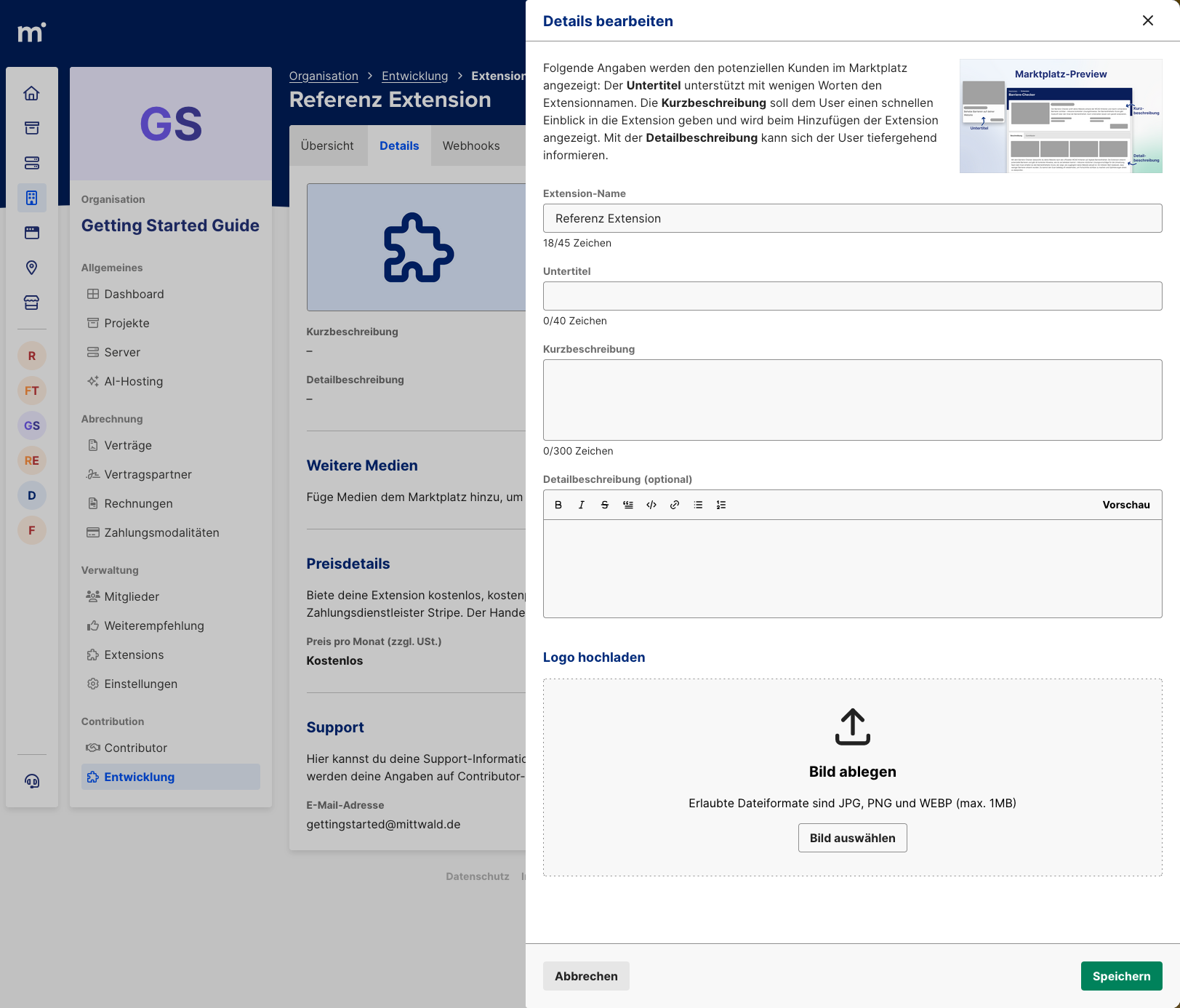
You already assigned a name when registering your Extension, but you can change it at any time. Before publishing, it is a good moment to refine the name. It should describe your Extension's purpose clearly and be unique. Two Extensions cannot have the same name.
Subtitle
In marketplace listings, a subtitle is shown below each Extension name. This is useful because many Extensions use product names that do not immediately show what they do.
Short Description
In the short description, explain in up to 300 characters which problem your Extension solves. It should quickly convey the feature scope and help users decide whether it fits their use case.
Detailed Description
The detailed description lets you provide a rich Markdown description of your product, its capabilities, and optionally a changelog.
Logo and Additional Media
The logo is shown in marketplace overviews and is therefore recommended to stand out among other Extensions.
You can also upload additional media to show features and look & feel. Currently supported formats are JPG, PNG, and WEBP.
Pricing Plan
If you want to offer your Extension (partly) as paid, you must complete Stripe onboarding first. See Stripe onboarding if you have not done this yet.
Once onboarding is completed and you are verified as a Contributor, you can create either a fixed price or a pricing plan with multiple Variants.
In a pricing plan, each Variant has a key, which is also delivered via
session token context information and lifecycle webhooks.
This allows feature sets or limits to be adjusted based on the Variant selected by the customer.
We explain pricing in detail in the Extension pricing overview.
Verification and Publication
Once all Extension information is complete, you can request verification by mittwald in the Extension overview ("Übersicht"). We install your Extension and check whether it is suitable for mStudio, to prevent inappropriate content from entering the marketplace.
After successful verification, you can publish your Extension at any time. It will then be visible to potential customers in the marketplace.