Create an Extension Instance
To test the Extension locally, you must integrate it into mStudio through an Extension Instance.
For the Reference Extension, the following prerequisites from previous steps must be fulfilled:
- A project has been created
- The database is running
- The Extension is running locally
- Context, permissions, Frontend Fragment URL, and webhook URL are configured
- The tunnel is running
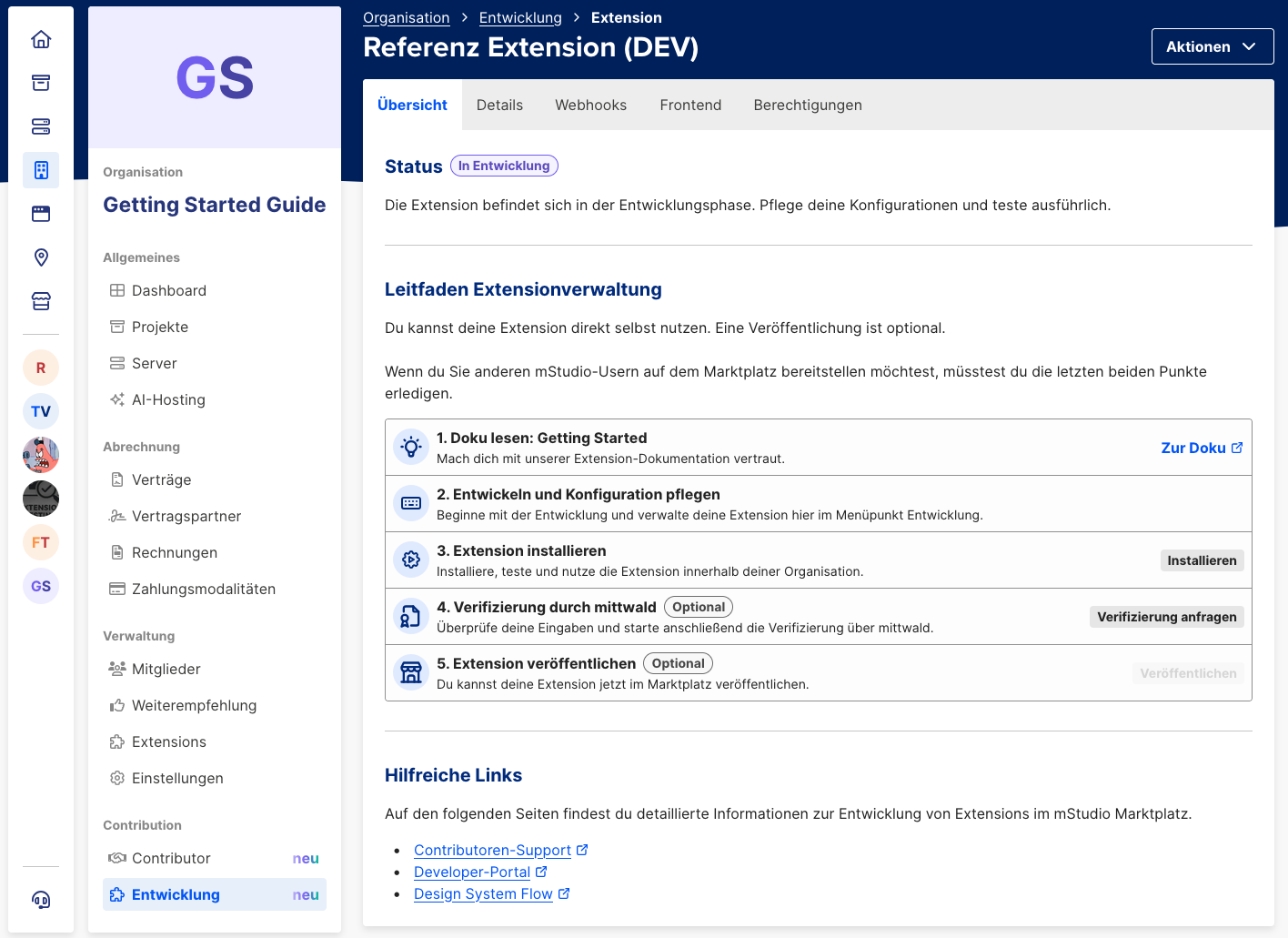
Now inside the "Leitfaden Extensionverwaltung" (Extension management guide) on tab "Übersicht", you can install the Extension in your own organization or in a project of your organization.
Open the Extension
In the project where the Extension was added, you now have a new menu item. When you open it, the Extension should be displayed 🎉
Feel free to test the Extension and get familiar with its functionality.